
How Can We Help?
Deposits Report: How to Access and Use via Actum Portal

Altogether, the Deposits Report serves as one the central information hubs pertaining to processing fees associated with a merchant account’s transactions. In this case, this article walks merchants through on using and understanding our this report.
Accessing the Deposits Report
1. Log in to the Actum Portal at https://merchant.actumprocessing.com. Refer to the Multi-Factor Authentication (MFA): How to Use via Actum Portal article for further login instructions.
2. Press the triple-bar icon to the left of the Actum Processing logo, click the right arrow icon next to Reports and choose Deposits.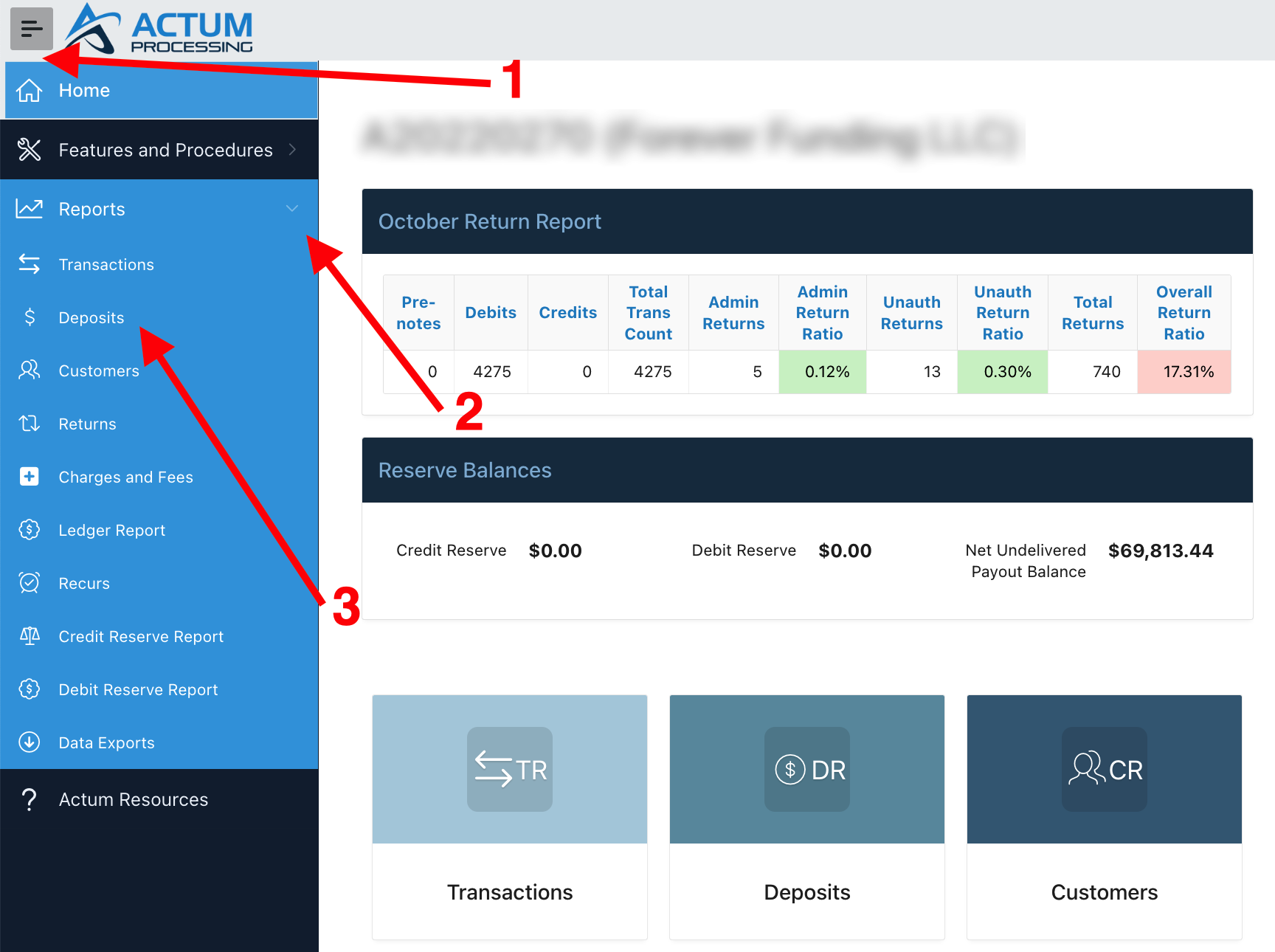
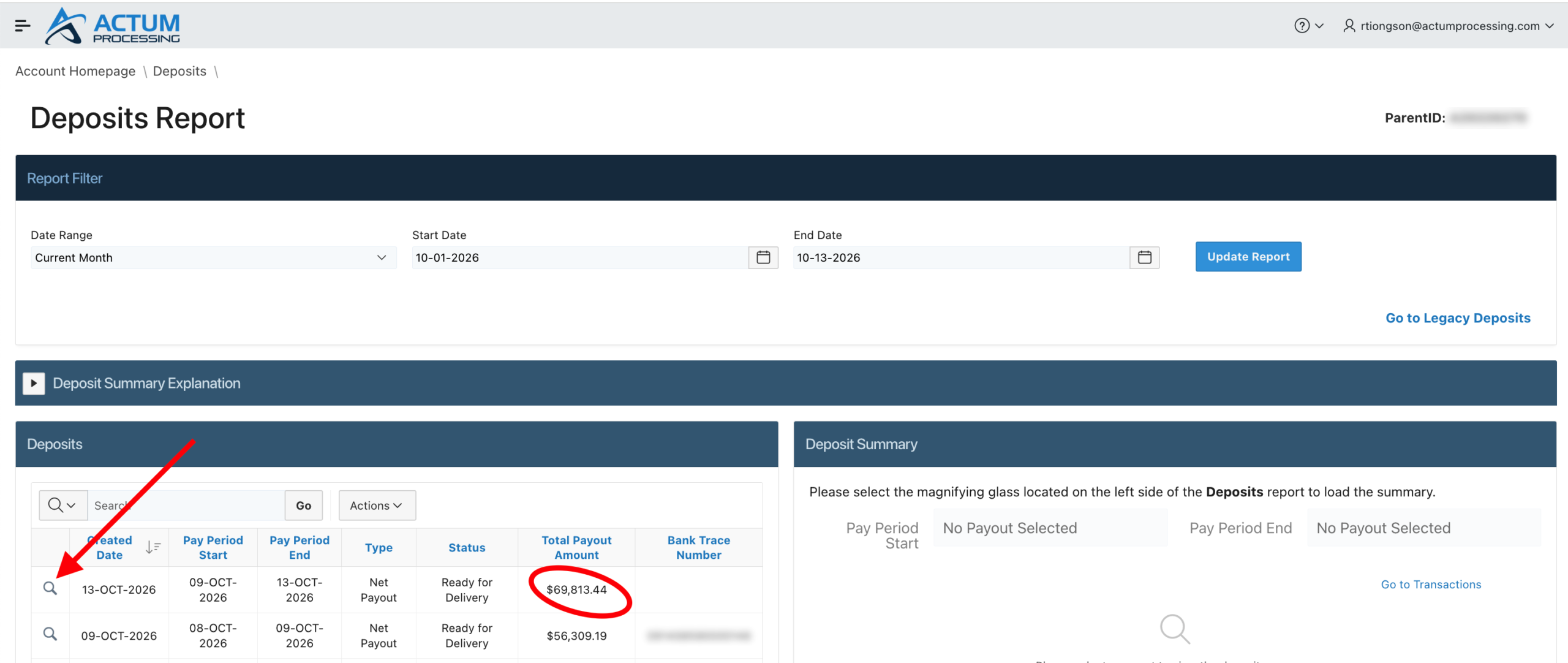
3. Choose the magnifying glass icon to view a specific date’s Deposit Summary which breaks down the payout amount in the Deposit Summary.
Utilizing the Deposits Report
The Deposits Report can be customized to view a specific date range by following these instructions.
1. Click on the Date Range dropdown menu and choose the applicable Date Range.
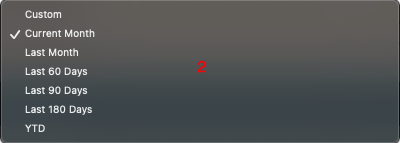
1a and 1b. Alternatively, set up an applicable Start Date and End Date.
2. Click on Update Report to view an updated version of the Deposits Report reflecting the chosen Date Range selection.
3. Press the magnifying glass icon next to the corresponding Created Date that has a positive Total Payout Amount.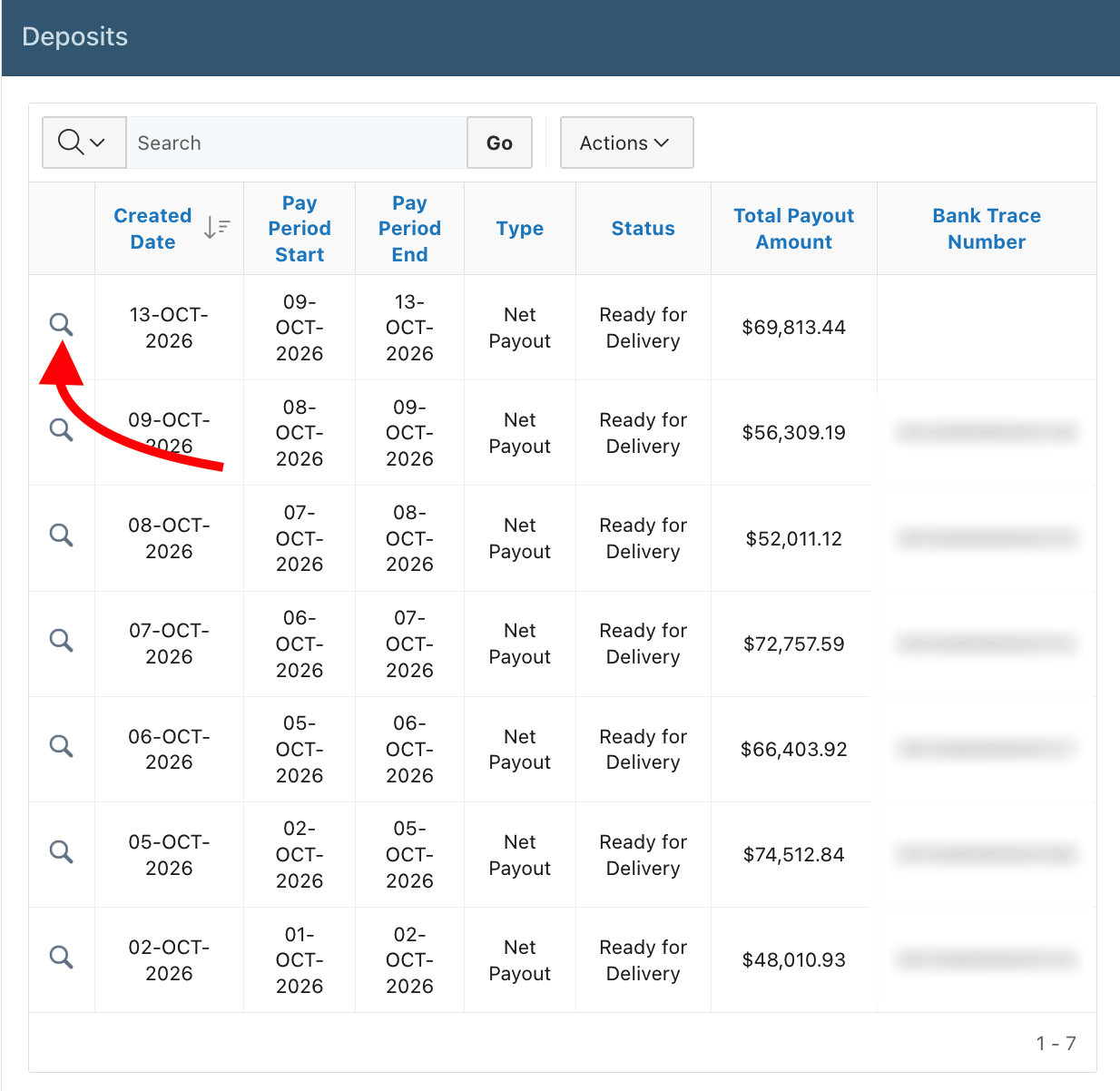
4. The Deposit Summary provides an overview of the anticipated net deposit set to deposit into the bank account two business days from the Pay Period Start date. (For this example, it will be three weekdays after Friday, Oct. 9, 2026, due to the Columbus Day holiday on Monday, Oct. 12, 2026).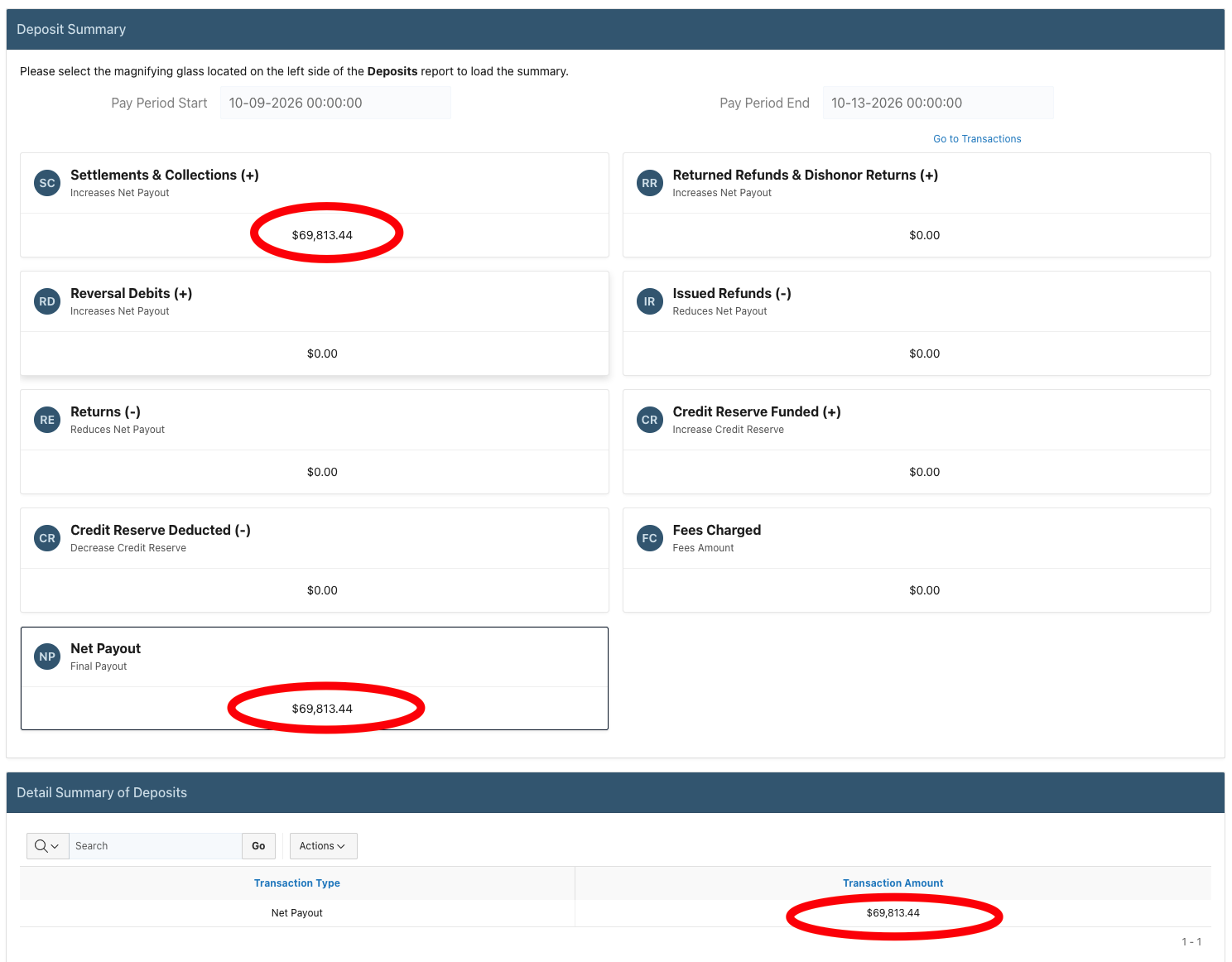
- • Settlements & Collections (+) considers the total settlement amount, or the dollar amount consisting of submitted debit transactions that successfully settled within a merchant’s settlement period. Please consult your most recently signed Final Exhibit B for specifics on the settlement period for your Actum Processing account.
- • Net Payout is the amount set to be paid out before any deductions from a Carry Over Amount. In some cases, if a Gross Settlement occurs on the same day that at least one transaction is submitted and the Actum Processing account is set to daily billing, Processing Fees may be deducted and considered for the Payout Amount.
- • Any category marked with a ( – ) deducts the gross payout amount reported in Settlements & Collections (+) that will ultimately report in Net Payout.
- • Settlements & Collections (+) considers the total settlement amount, or the dollar amount consisting of submitted debit transactions that successfully settled within a merchant’s settlement period. Please consult your most recently signed Final Exhibit B for specifics on the settlement period for your Actum Processing account.
Notables
- • Processing Fees consist of fees per your Exhibit B (per debit transaction fee, discount rate, if applicable, etc.). Likewise, a breakdown of the processing fees is available in our Transaction Fee report found by clicking on Charges and Fees in the Reports menu option. Additionally, late Returns will typically be a chargeback filed by a customer/receiver. Specific information about the chargeback can be found in our Return Report. This can be found by clicking on Returns within the Reports menu option.
- • The payout amount represents the anticipated payout for deposit or fee charged against an upcoming settlement. In this case, if there is a negative carryover amount from Processing Fees but the settlement dollar amount is greater than the negative carryover dollar amount, then you will see a positive payout. Otherwise, if the negative carryover amount is greater than the settlement dollar amount, the negative carryover amount continues to carryover.
Additional Resource
For further information, please review our interactive Scribe entry.