
How Can We Help?
Ledger Report: Locating and Understanding Report in Actum Portal

The Actum Portal provides multiple resources to succeed and operate an Actum Processing merchant account such as the Ledger Report, which offers an overview of account activities in terms of payouts and fees.
This article reviews how to find and understand this report in the Actum Portal.
Accessing the Ledger Report
1. Log in to the Actum Portal at https://merchant.actumprocessing.com. Refer to the Multi-Factor Authentication (MFA): How to Use via Actum Portal article for further login instructions.
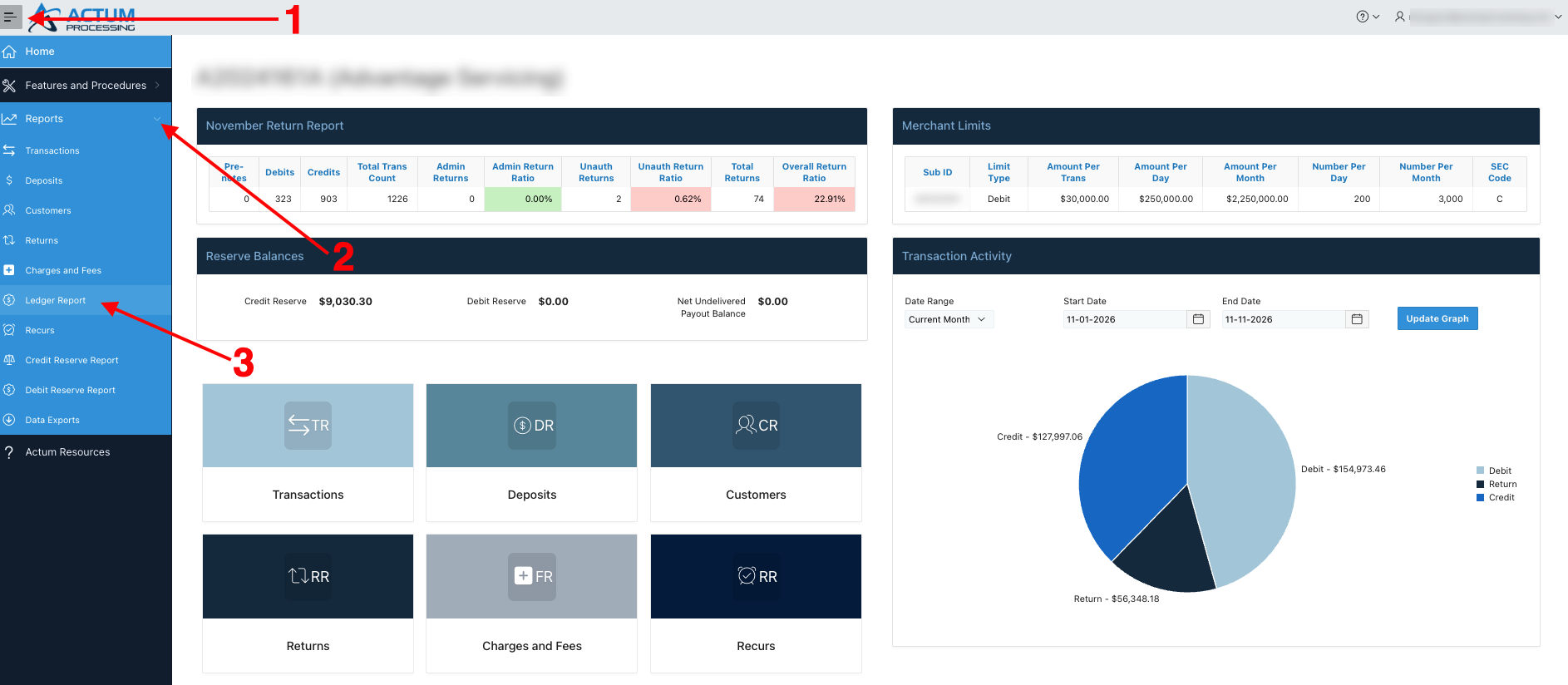
2. Click on the triple-bar icon to the left of the Actum Processing logo, click on the right arrow icon next to Reports and choose Ledger Report.
Reading the Report
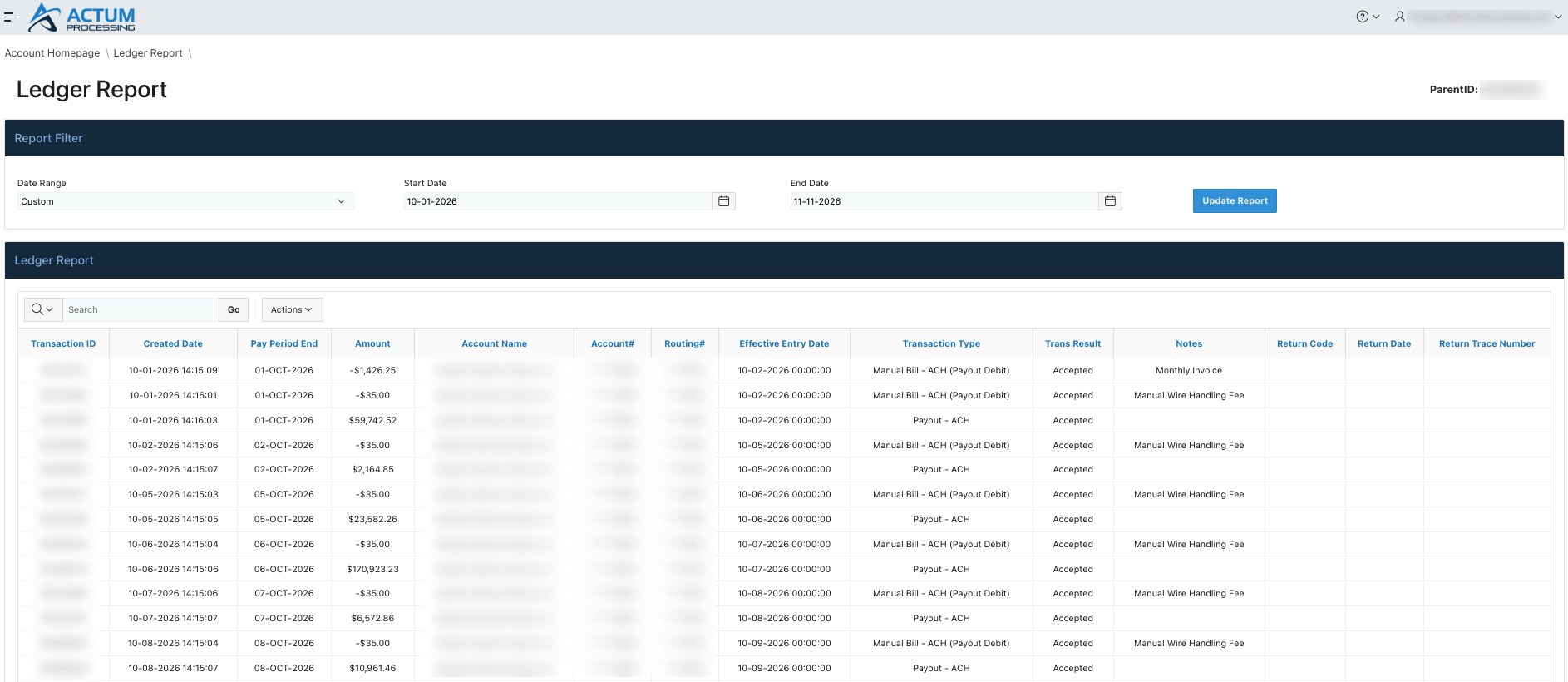
1. This report provides information on any Manual Wire Handling Fees and upcoming and past payouts from settled transactions.
Tips
• For further context, please refer to the Per Occurrence Fees for Merchants Knowledge Base article on fees associated with Actum Processing accounts.
• This report provides an overview on the pending payout amount and a portion from the payout that may be transferred or swept to the Credit Reserve. Please reference this article for further information.
Additional Resource
For further information, please review our interactive Scribe entry.