
How Can We Help?
How to Access the Account Profile Page

The Actum Portal provides merchants the power to robust reports to updating vital information. Our Account Profile page enables merchants to update their address of record to opting in for e-monthly statements and our new daily Returned Transactions Report. This article covers how to access and leverage this page’s options.
Accessing the Account Profile Page
1. Log in to the Actum Portal at https://merchant.actumprocessing.com. Refer to the Multi-Factor Authentication (MFA): How to Use via Actum Portal article for further login instructions.
2. Press the triple-bar icon to the left of the Actum Processing logo, click the right arrow icon next to Features and Procedures and choose Account Profile.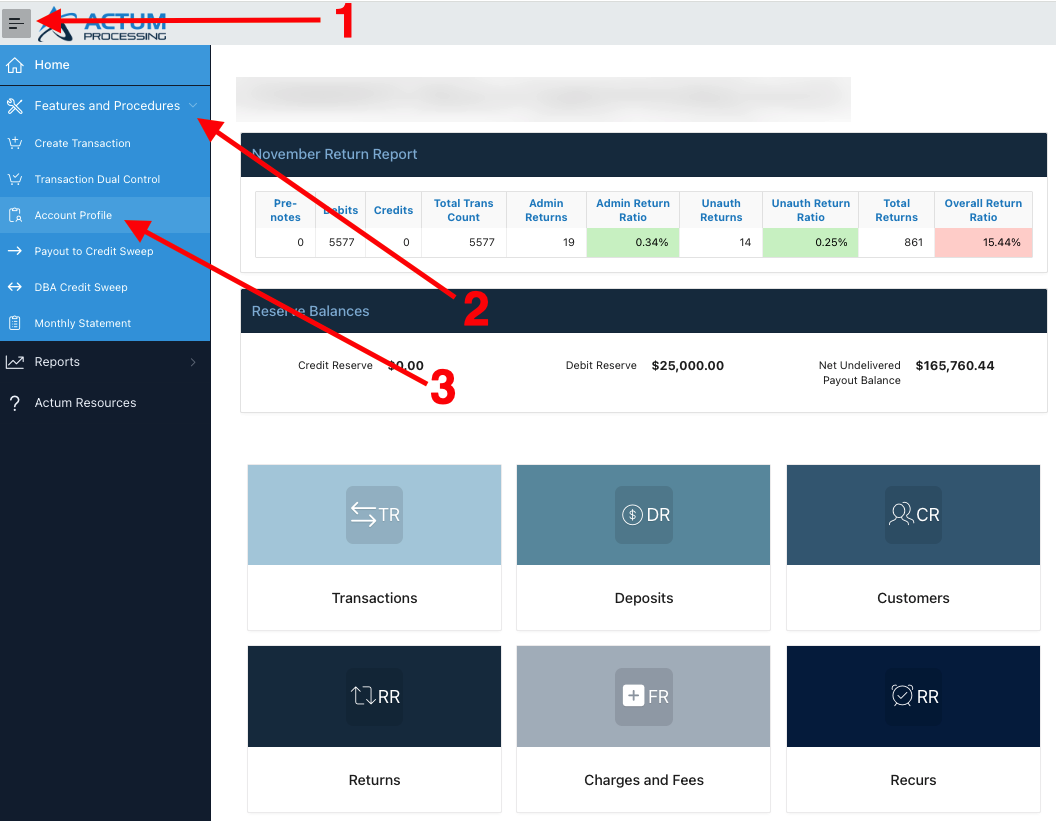
Updating the Address of Record
1. In the Address Info section of the Account Profile page, enter the applicable Address, City, State, Zip, Address 2 (i.e., Ste, Bldg.) and Country and press Update.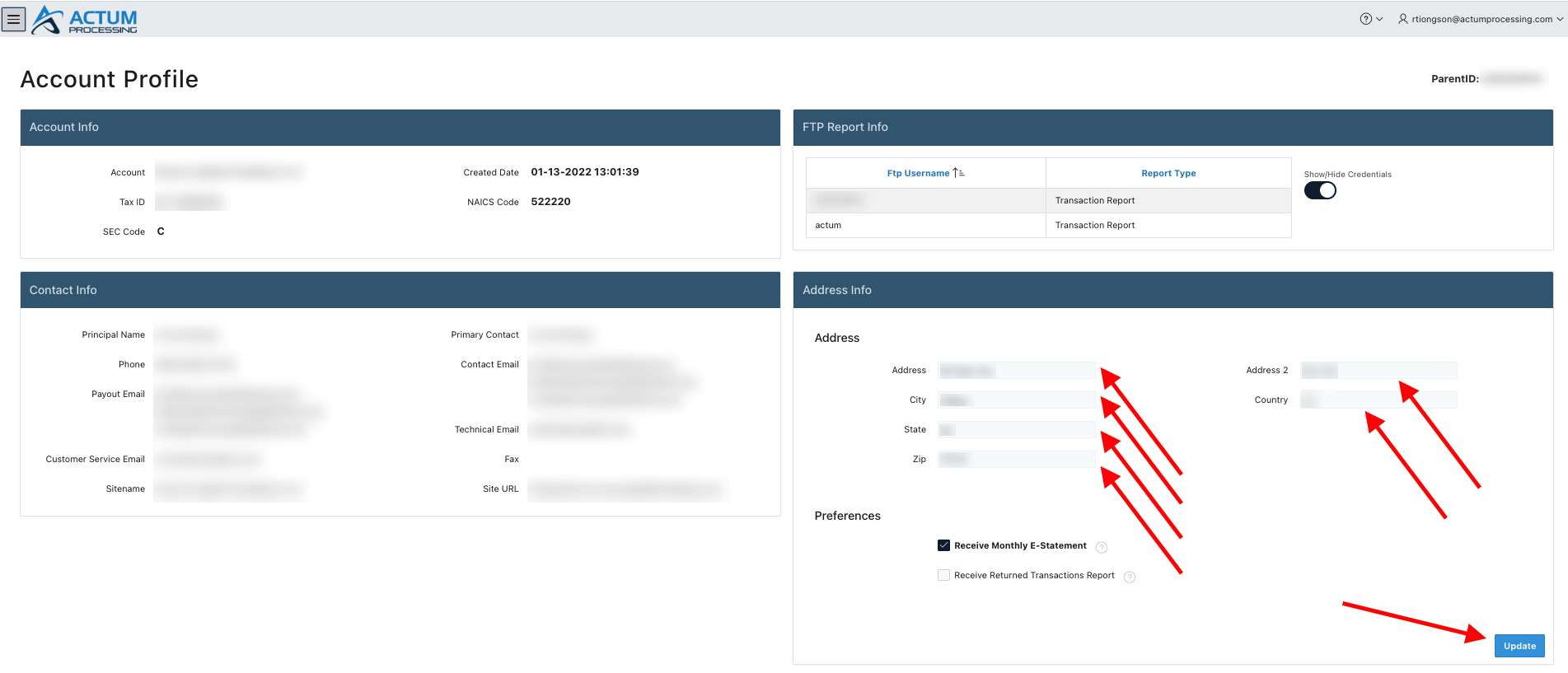
Opting in for E-Monthly Statements and/or Returned Transactions Report
1. In the Address Info section of the Account Profile page, click the Receive Monthly E-Statement box and/or Receive Returned Transactions Report and press Update.
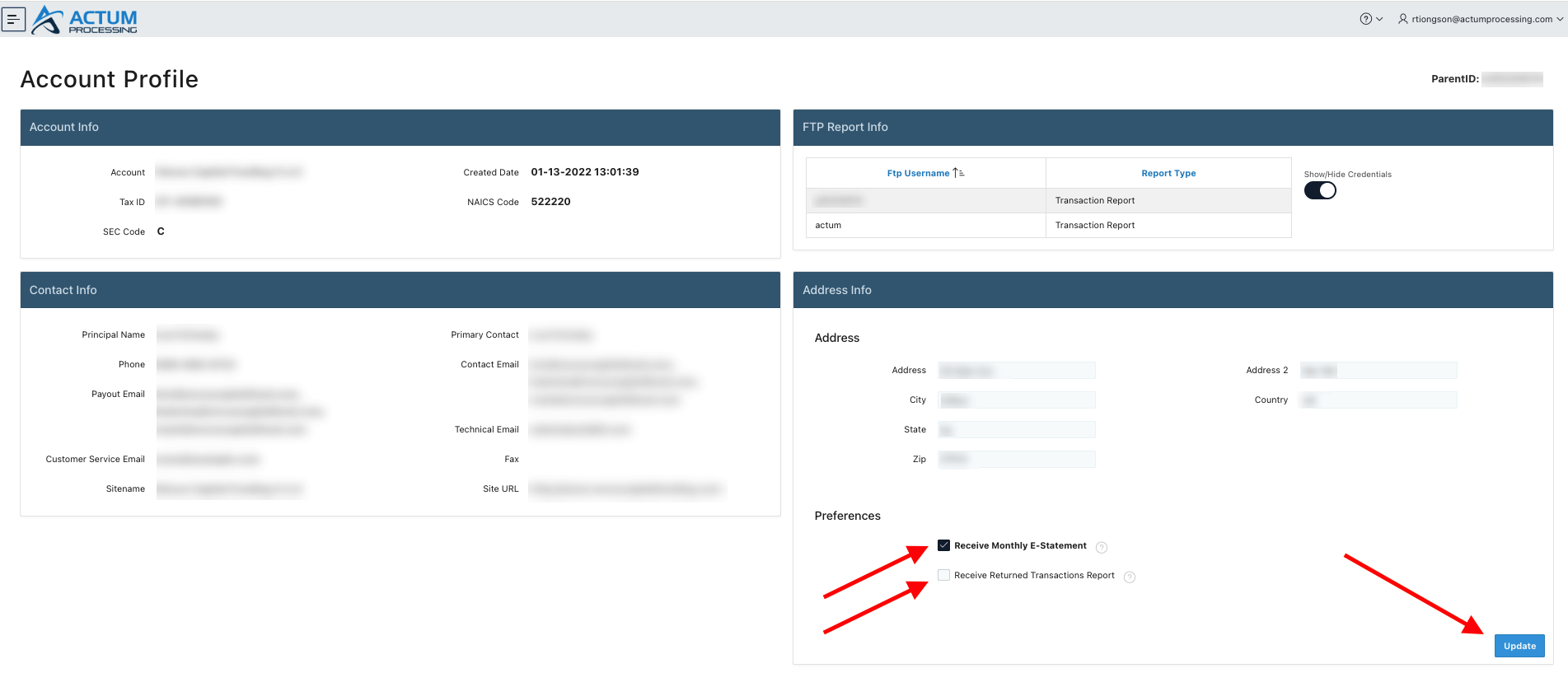
Note: The Returned Transactions Report will be sent twice each business, banking day at 6:15 a.m. CT and on or after 4:15 p.m. CT.