
How Can We Help?
Transaction Detail Report: Utilizing and Maximizing Report’s Features

Keeping track of account activities proves most helpful for Actum Processing merchants. The Transaction Detail Report provides nine distinct reports to monitor recent data relevant with a merchant’s processing activities.
The Transaction Detail Report is a one stop, central destination for merchants. From an overall view of the account to specific, itemized reporting with a few clicks, this report is the all-utility experience on the Actum Portal.
Learn more about this report and its features in this entry to excel further as an Actum Processing merchant with the information and data to keep track of account activities.
Viewing Settled Transactions
1. Log in to the Actum Portal at https://merchant.actumprocessing.com. Refer to the Multi-Factor Authentication (MFA): How to Use via Actum Portal article for further login instructions.
2. On the left side menu, click on Reports and choose Transactions.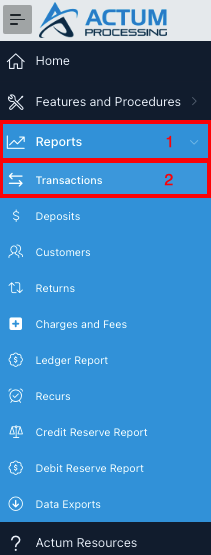
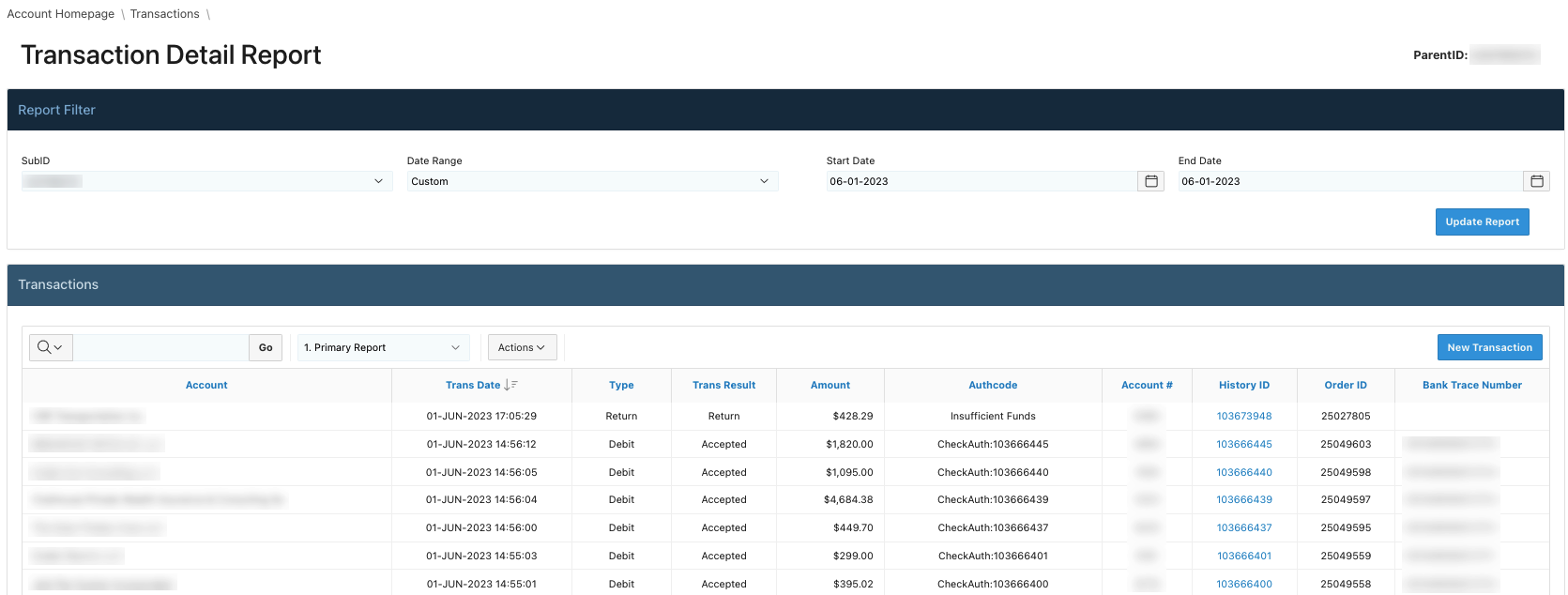
3. Afterwards, the report populates, typically set to 1. Primary Report or the most recent report reviewed from the prior login into the Actum Portal.
4. To change the report, click on the dropdown menu and choose the report to review.
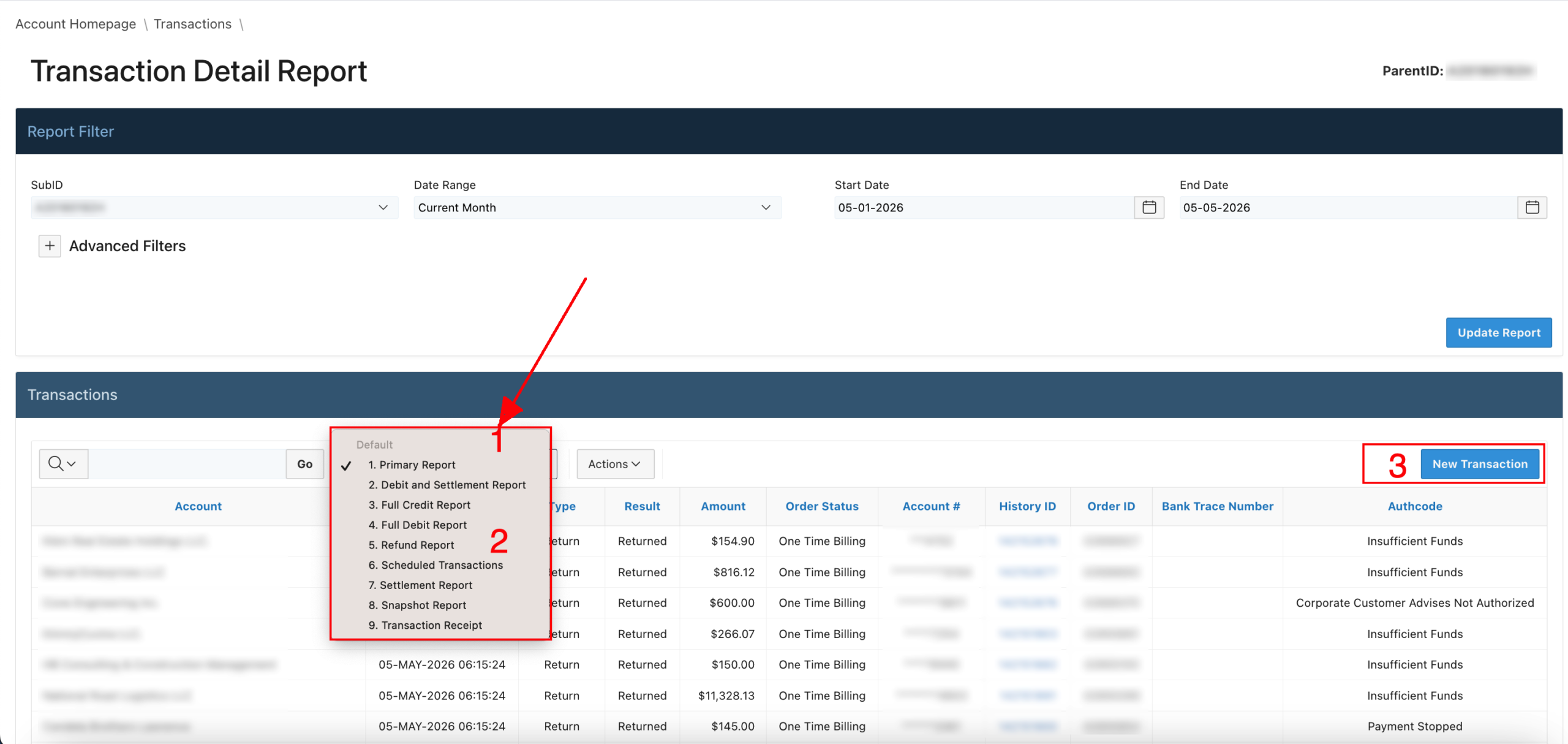
Next, this entry goes over the different reports with a brief synopsis and additional resources to better understand a specific report, whereas applicable.
Primary Report
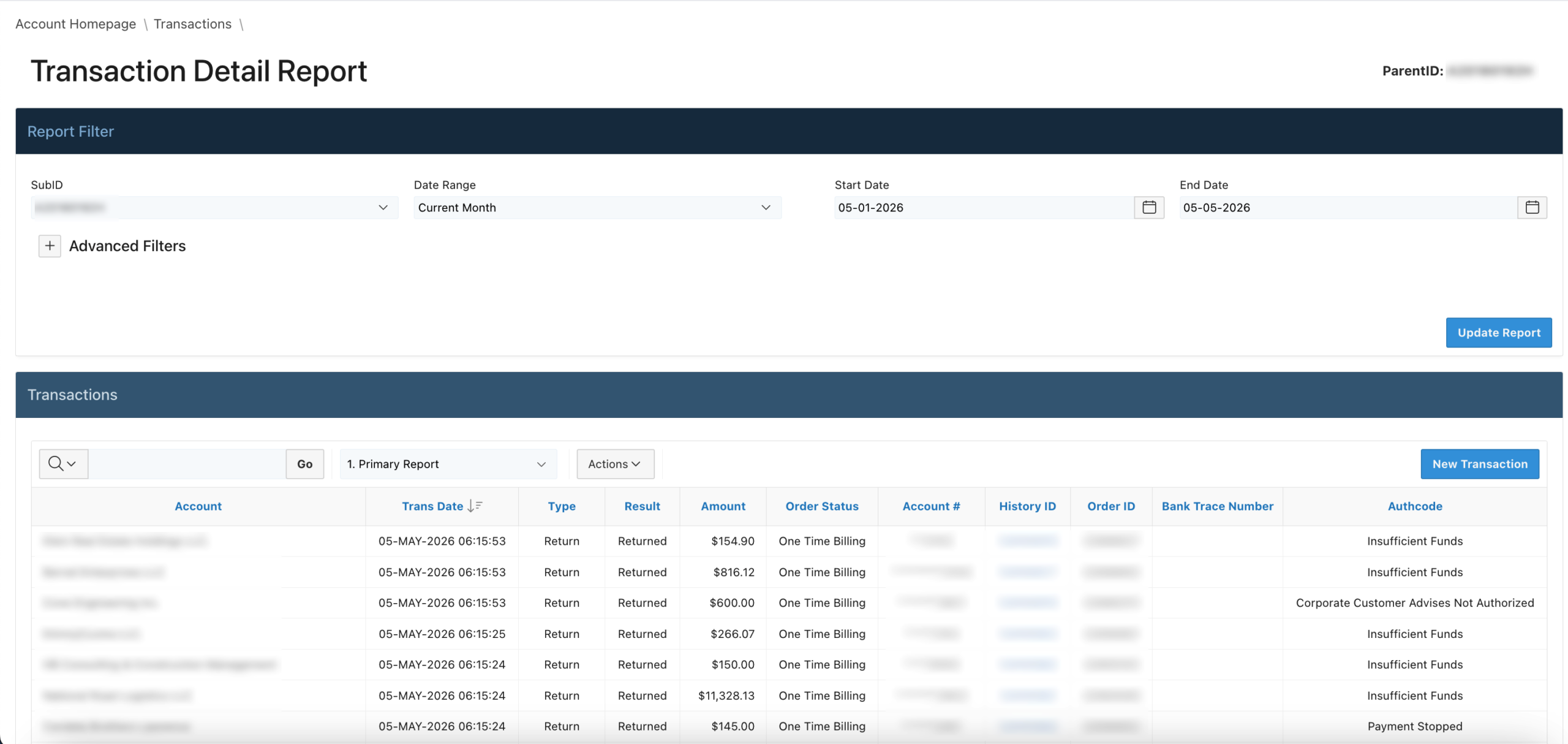
The Primary Report considers all account activities (i.e., Credits, Debits, etc.) with a truncated Bank Account #, History ID, Order ID and Bank Trace Number.
Debit and Settlement Report
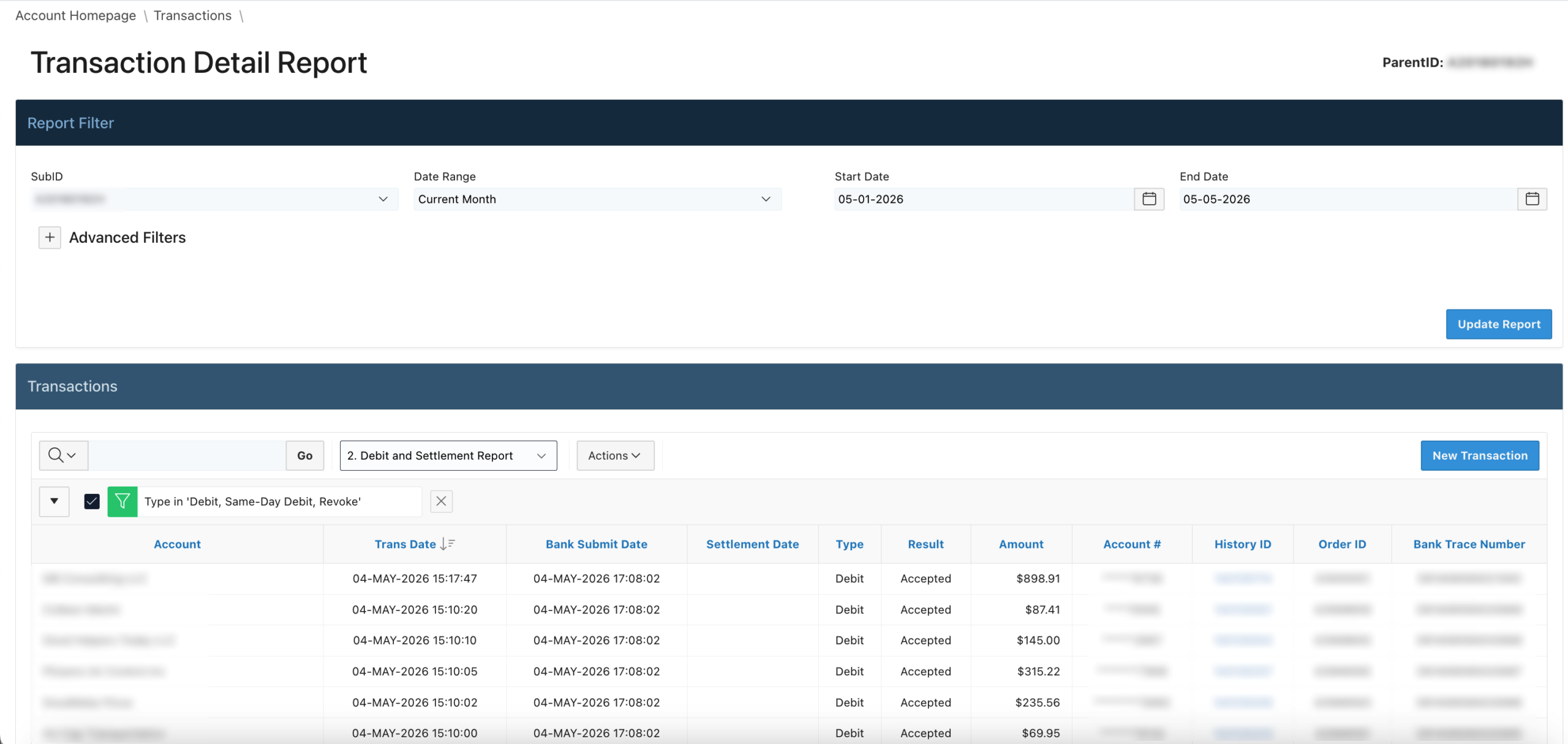
Our Debit and Settlement Report reconciles Debits with any Settlements or Debit transactions that have settled in the specified settlement period for an Actum account. If there is no Settlement Date, this could mean the transaction has not settled or it may have returned, depending on how recent the Transaction Date of a Debit (Same-Day or regular Debit) was in relation to the account’s settlement period.
Full Credit Report
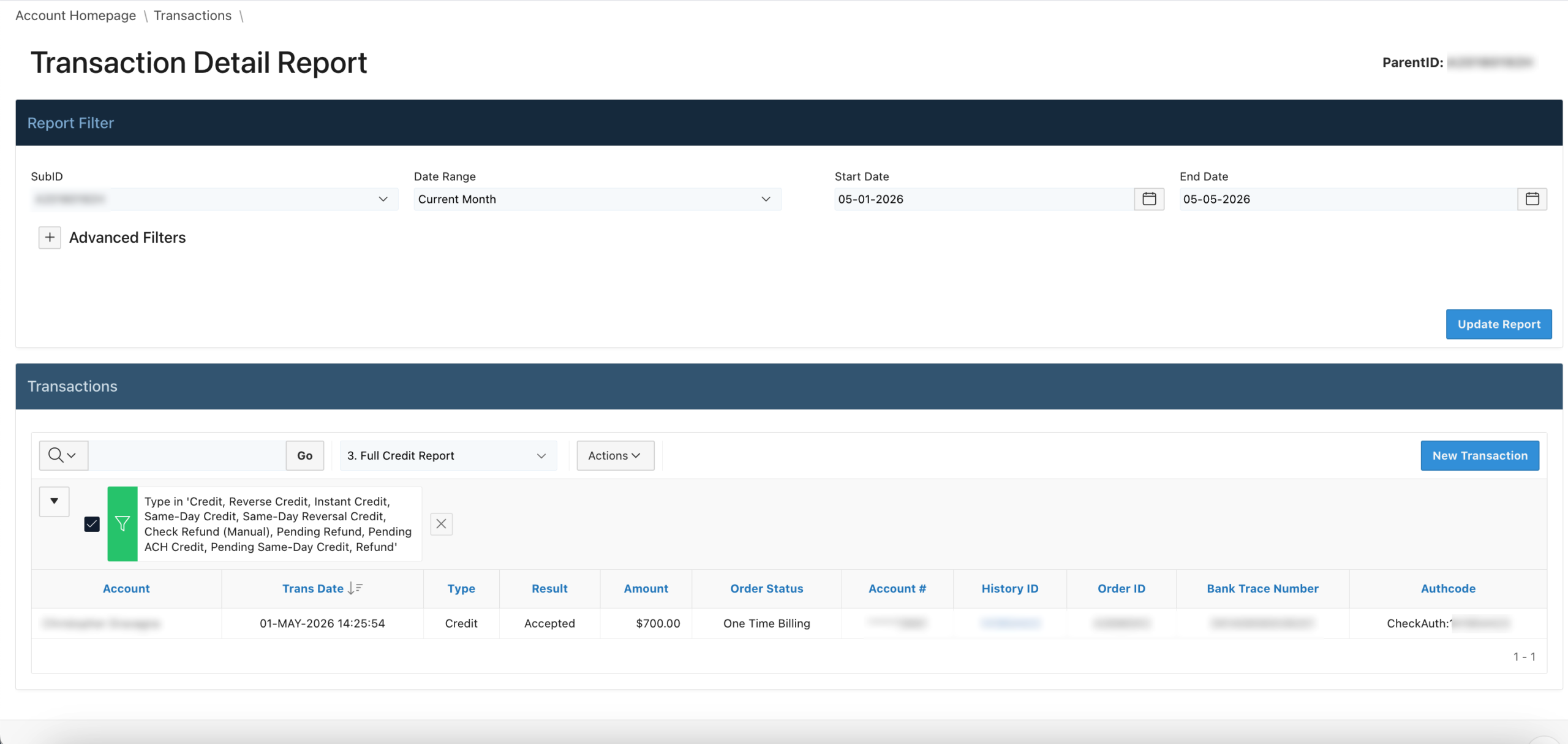
Generally speaking, the Credit Report itemizes all Credit transactions, or transactions that fund the merchant’s clients as opposed to pulling or debiting funds from the client’s bank account.
Full Debit Report
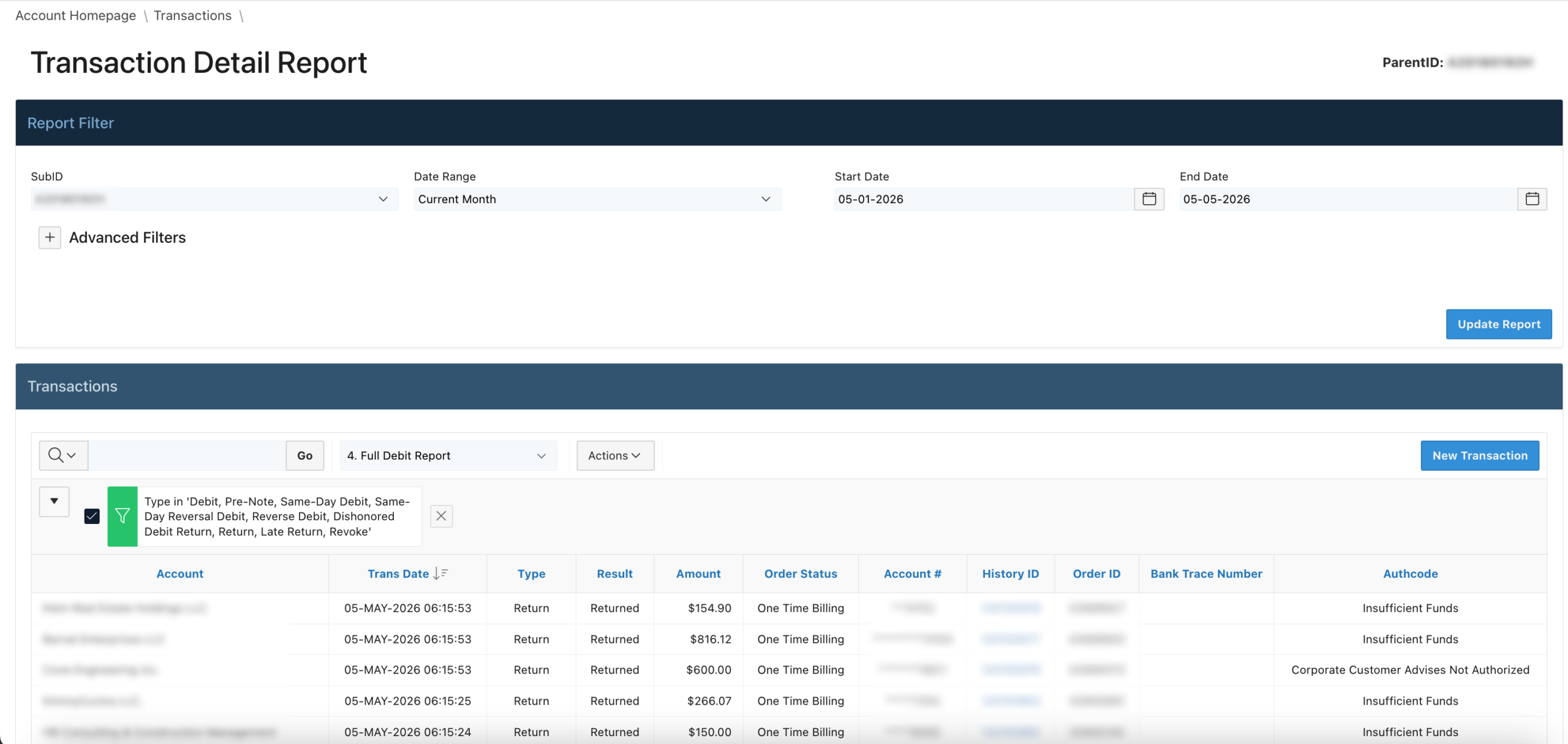
The Debit Report considers all Debit transactions, or transactions that pull funds from the client’s bank account.
Refund Report

In this case, the Refund Report considers any Refund transaction in which a full or partial amount is paid back to the client associated with a submitted Debit transaction. Likewise, refer to the Refund a Transaction via Actum Portal article for further context on refunds.
Scheduled Transactions
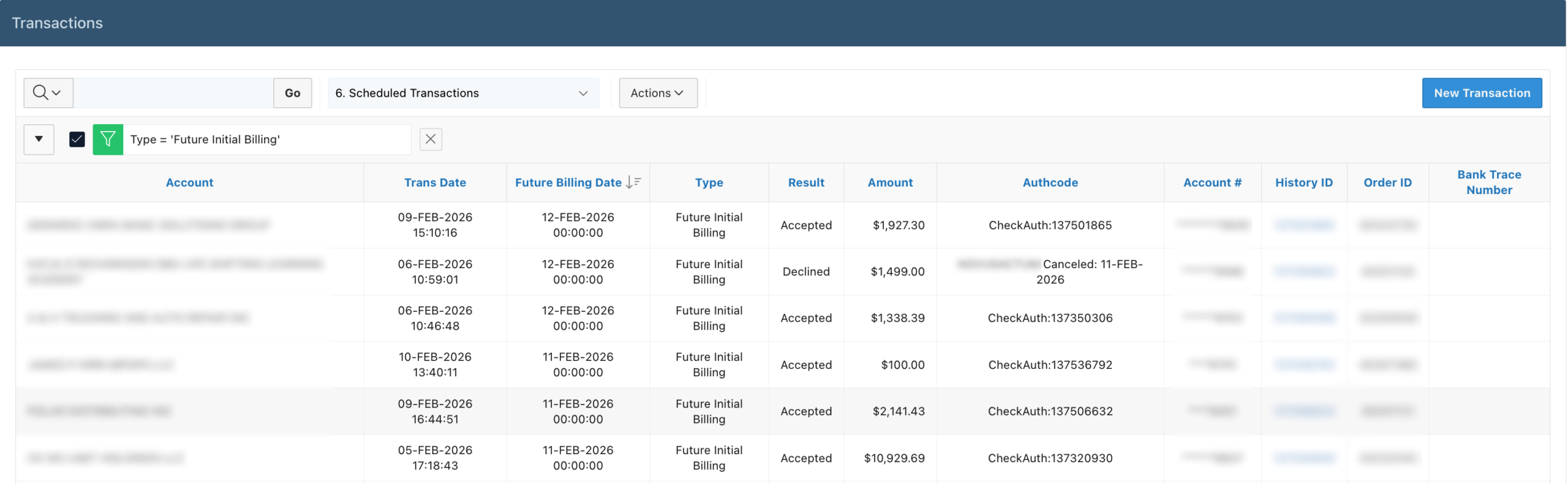
Typically, the Scheduled Transactions report accounts for any Debit transactions intended to debit or bill a merchant’s client in the future, or any day ahead of the current date.
Settlement Report
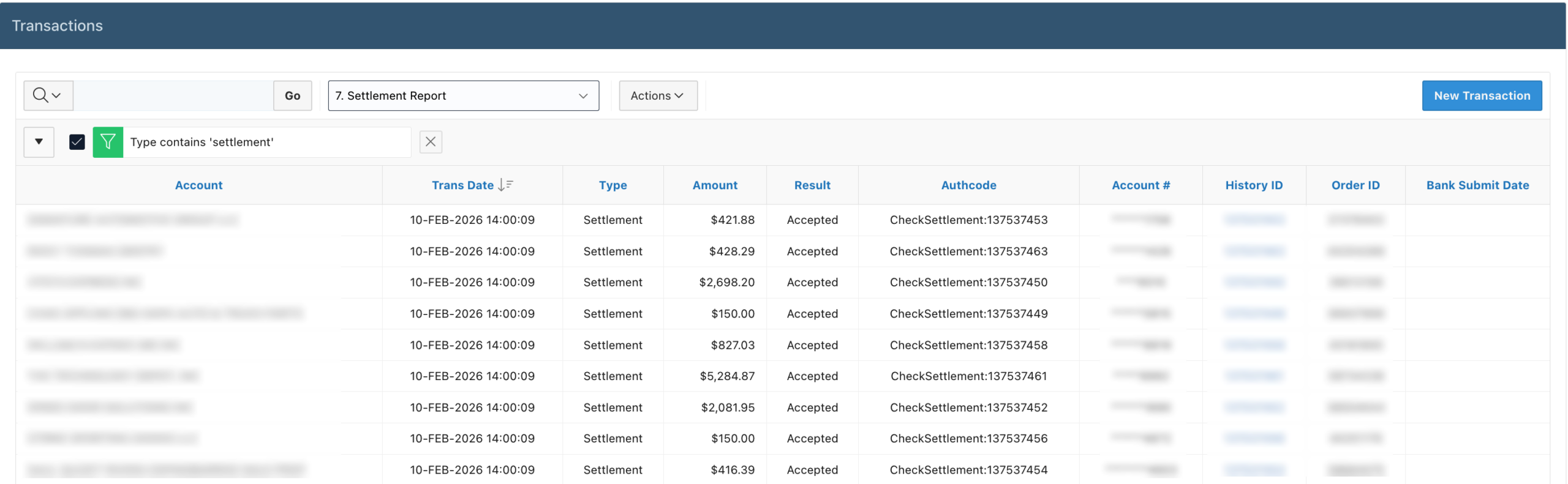
The Settlement Report provides information on transactions that have settled per the Actum Processing account’s settlement window. For further information about settlement windows, please refer to this article.
Snapshot Report
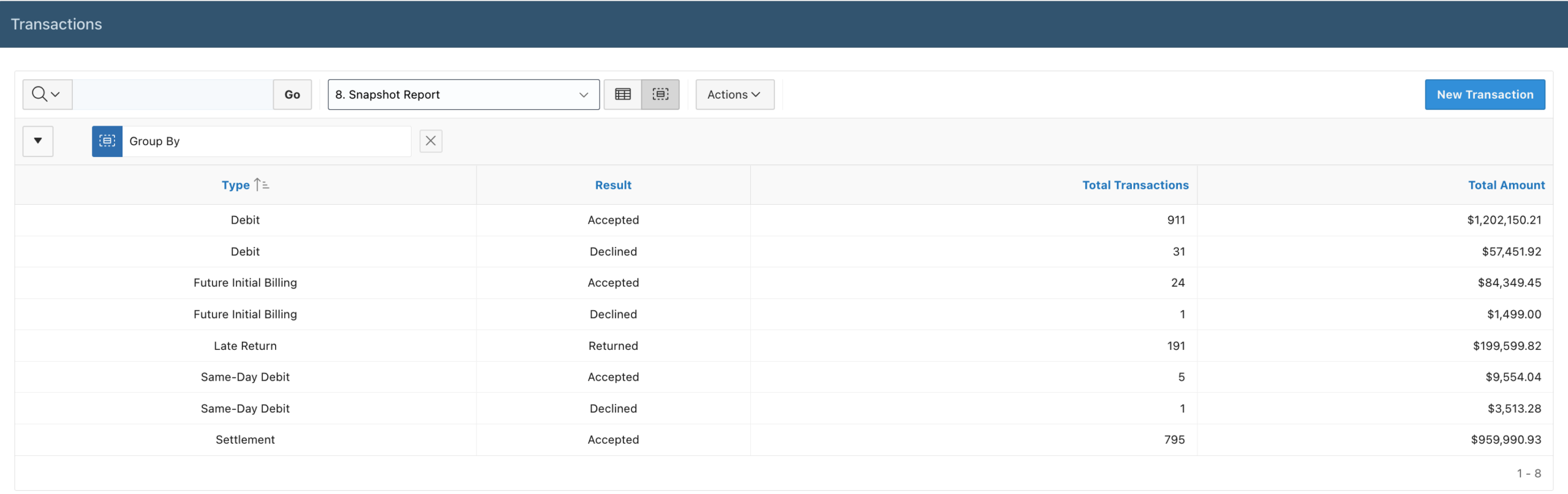
The Snapshot Report is an overview providing a general context of account activities in terms of the volume and dollar amounts in relation to specific transaction types.
Transaction Receipt
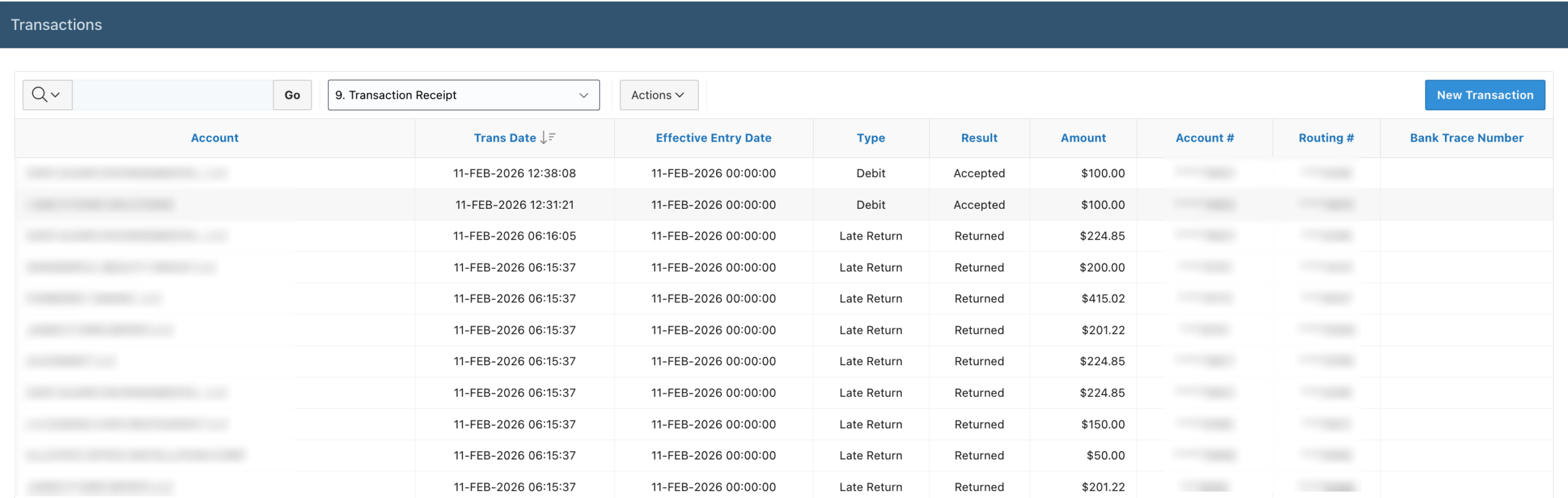
Lastly, the Transaction Receipt report provides an overview of account activities that can be used to filter information for a specific client determined by the Date Range by the Actum Portal user. Our Scribe entry describes how to leverage this report.
Tip
For more information, please review our interactive Scribe entry.