
How Can We Help?
Sweep Credit Reserve Between ParentIDs (PIDs)

One of the latest features with our Actum Portal is the ability to sweep funds from a ParentID (PID) to another provided that each shares the same Tax ID Number (TIN)/Employer Identification Number (EIN). This solution assists merchants to transfer or sweep funds from a PID’s Credit Reserve to another to ensure Credit transactions can process on a given day.
This KnowledgeBase (KB) article explains how to leverage this latest solution.
Accessing the Credit Reserve Report
1. Log in to the Actum Portal at https://merchant.actumprocessing.com. Refer to the Multi-Factor Authentication (MFA): How to Use via Actum Portal article for further login instructions.
2. Head to the left side menu, choose Features and Procedures and click on DBA Credit Sweep.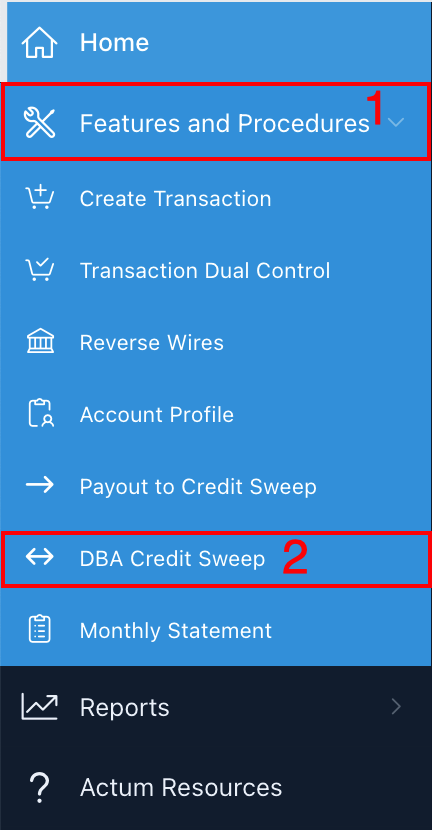
3. On the Sweep Credit Reserve between DBAs page, under Send Info, it will show the PID linked with the Sweep From, the Credit Reserve Held dollar amount the Amount to Move in Dollars and Notes. Meanwhile, under Receiver Info, the Sweep to PID can be changed if there’s multiple PIDs to choose and the Credit Reserve Held amount.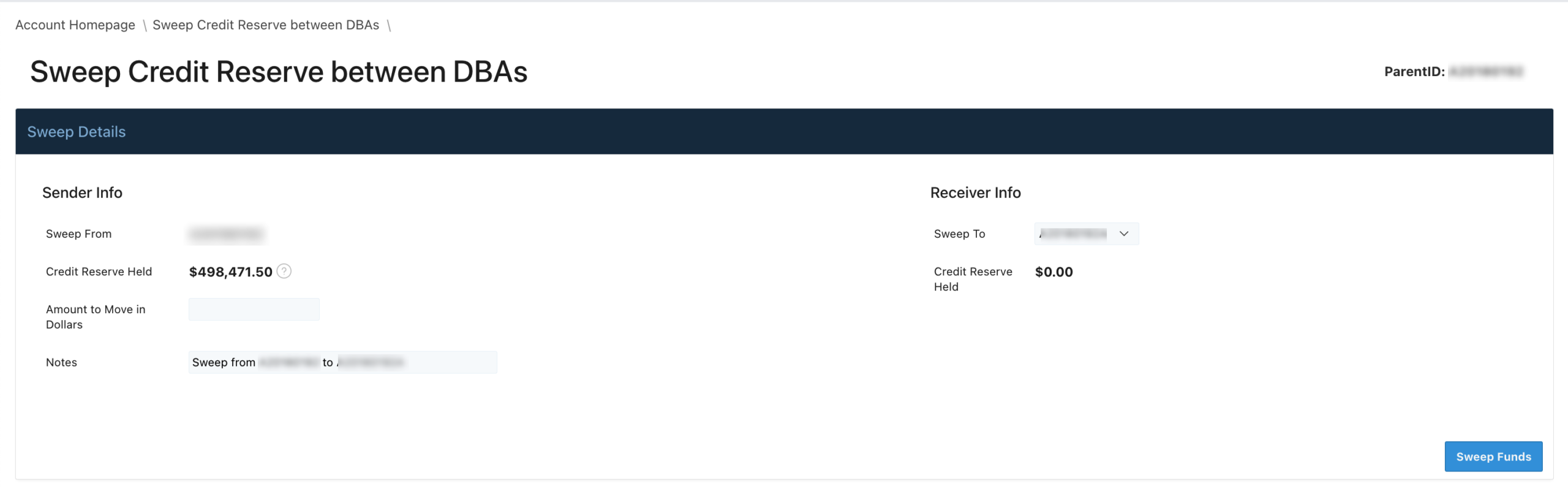
4. Enter the Amount to Move in Dollars without the dollar sign (i.e. 200.00 for $200.00).
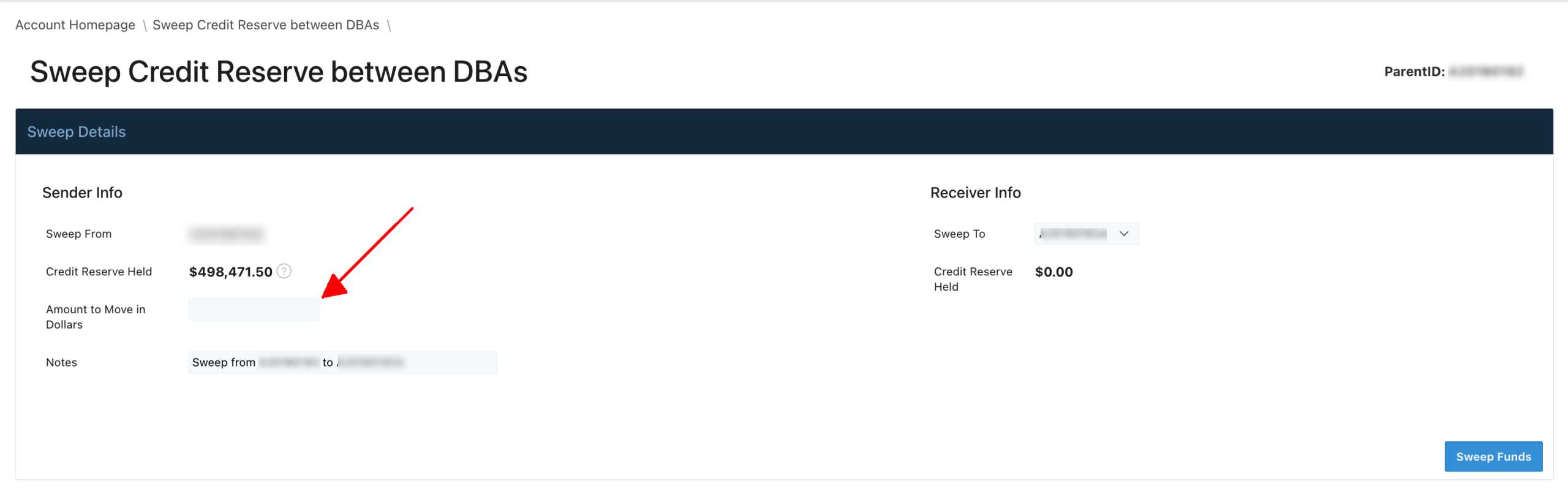
5. Click on the Sweep To dropdown menu to specify the specific PID that will receive the transferred funds.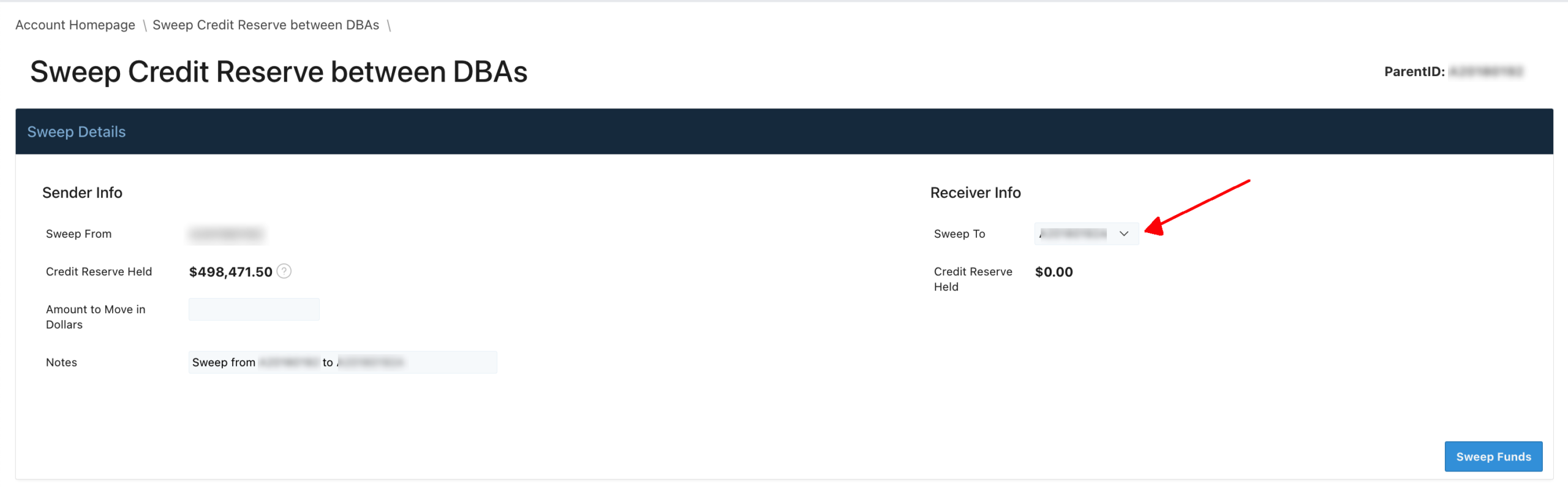
6. Verify and confirm the information entered and chosen on the page. If all is in good order, press Sweep Funds.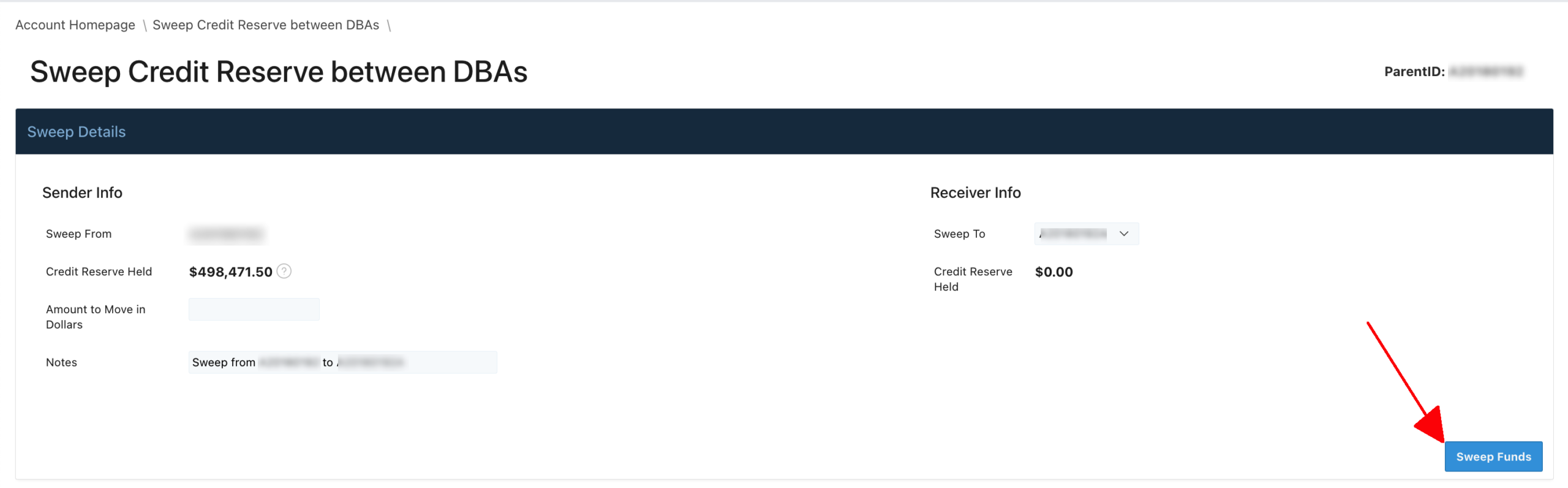
If there are no funds available or an insufficient balance to issue credits from the reserve, funds can be sent via Wire or ACH to replenish the reserve as explained in this entry.